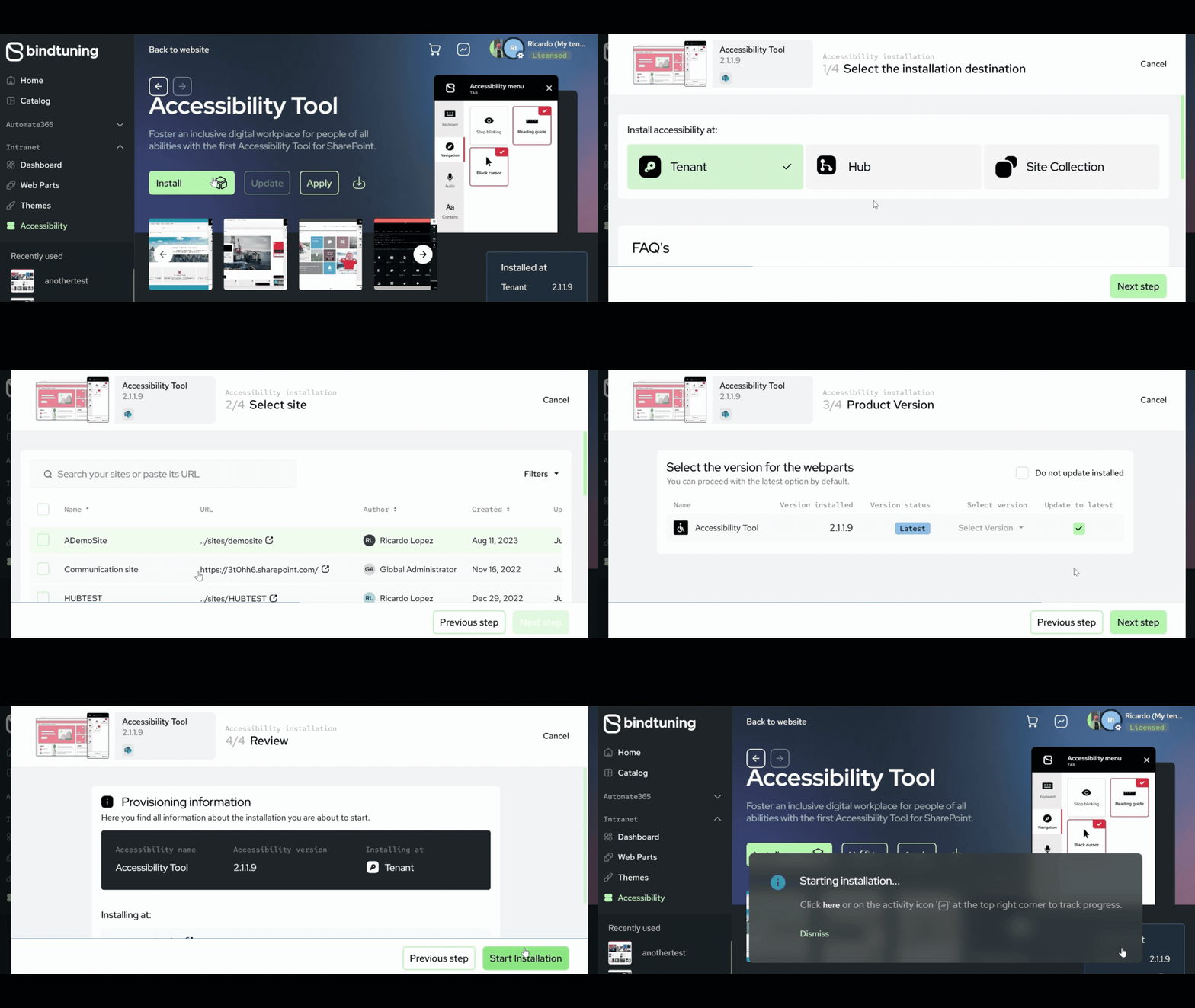
Installation
- Login to BindTuning;
- On the left sidebar, click on Intranet > Accessibility;
-
Select Install and choose the installation scope:
-
Tenant App Catalog
Tool is available to be applied across all site collections on the SharePoint environment, offering broad accessibility - Click on Next Step > Start Installation; -
Hub - Tool availability is restricted to hub site and their associated sites - Click on Next Step > Start Installation;
-
Site Collection App Catalog/Hub
Tool availability is restricted only to that specific site collection or hub, providing more localized control - Choose the site collection where the web part should be installed and click on Next Step > Start Installation; -
Check the installation process by clicking on the Activity Report button – a notification will show up when it’s finished.