Apply
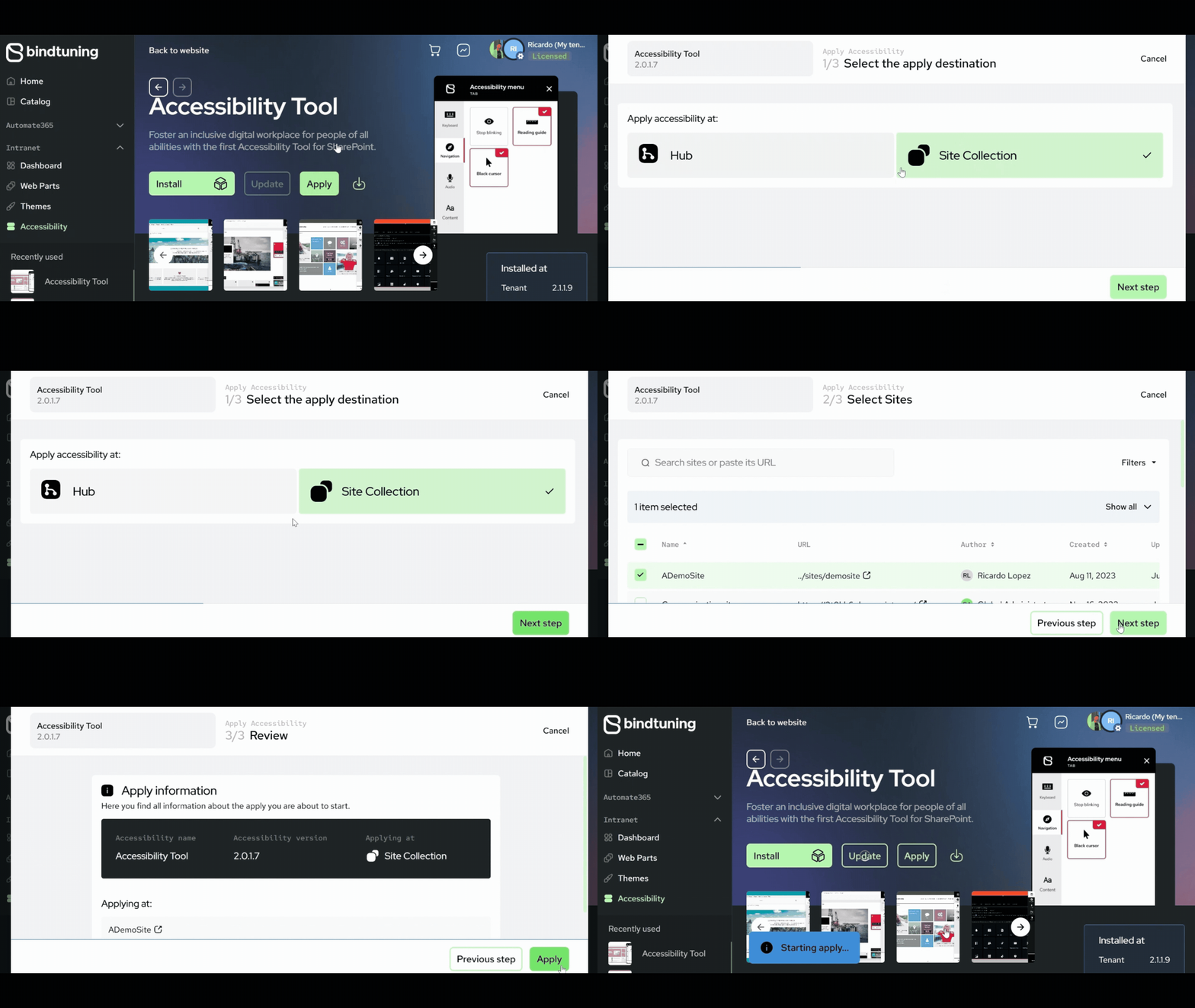
When installing the accessibility tool package on the tenant app catalog, the user is able to apply it to any site collection under the tenant.
- Login to BindTuning;
- On the left sidebar, click on Intranet > Accessibility;
- Select Apply and choose the site collection;
- Check the installation process by clicking on the Activity Report button - a notification will show up when it's finished.